Financial Tools
Using the Financial Calculators
Use the compound interest, retirement, and dollar value calculators, understand what each result means, and apply them to your plan.
The financial calculators are public and do not require an account. Open Tools in the main navigation, then choose a calculator. Results update as you change the inputs, so you can compare several scenarios without submitting a form.
Calculator results are educational estimates. Returns, inflation, taxes, and future expenses can differ from the assumptions you enter.
Compound Interest Calculator
Open the Compound Interest Calculator to estimate how an initial balance and recurring deposits may grow.
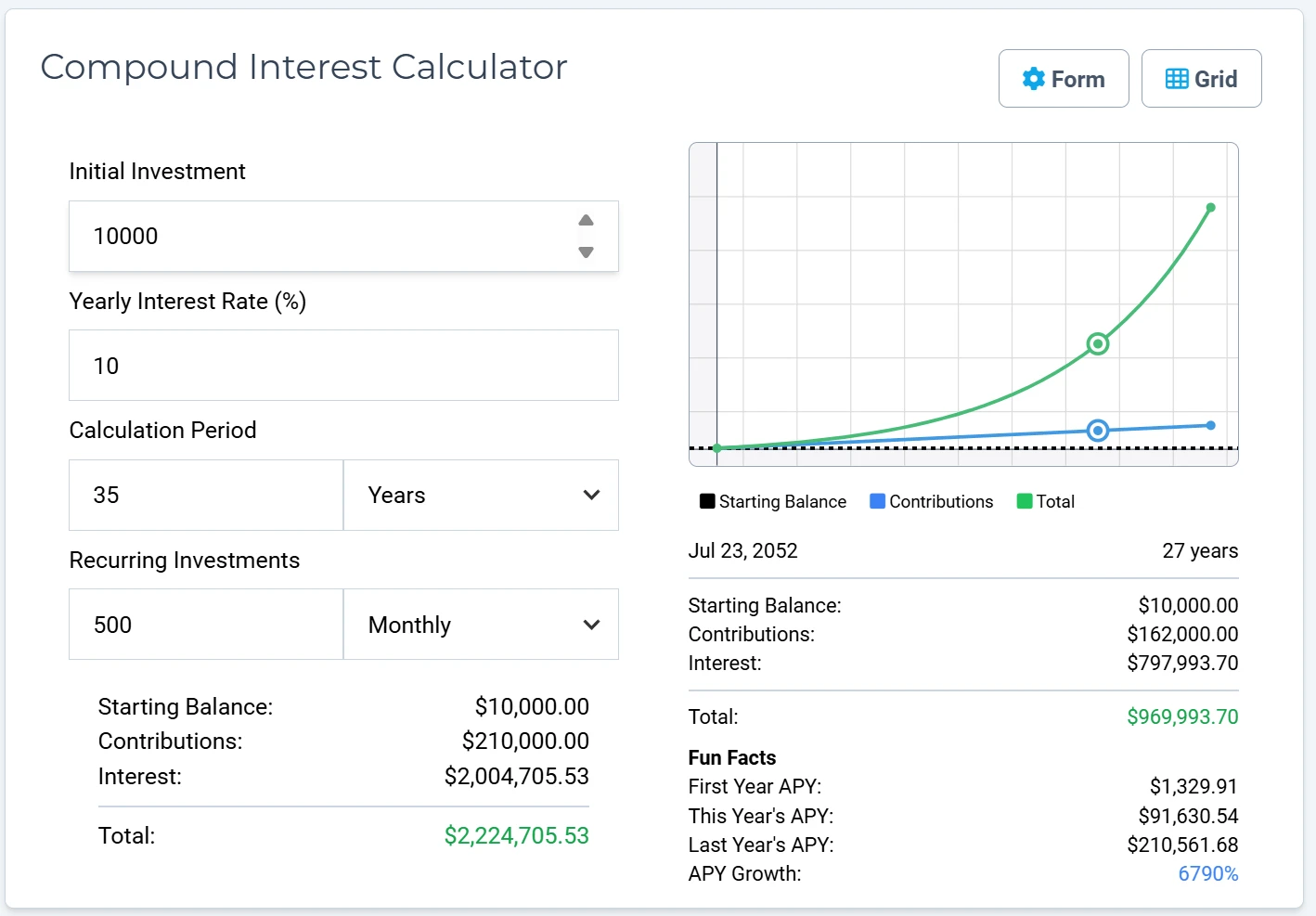
- Enter the amount already invested in Initial Investment.
- Enter the expected Annual Rate of Return (%). Select Presets to view common benchmark rates, or enter your own assumption.
- Set the Time Horizon in years.
- Enter a Recurring Contribution and choose whether it is daily, weekly, bi-weekly, monthly, or yearly.
- Choose a Compounding Frequency.
The chart separates starting balance, contributions, and total value. Select a point on the chart to inspect that date. Use Grid for the detailed schedule; on smaller screens, use the Form, Graph, and Grid tabs to switch views.
Try changing one assumption at a time. For example, keep the return rate constant while comparing a higher monthly contribution or a longer time horizon. This makes the source of the difference easier to understand.
Retirement Planner
Open the Retirement Planner to compare projected retirement savings with a spending-based target.
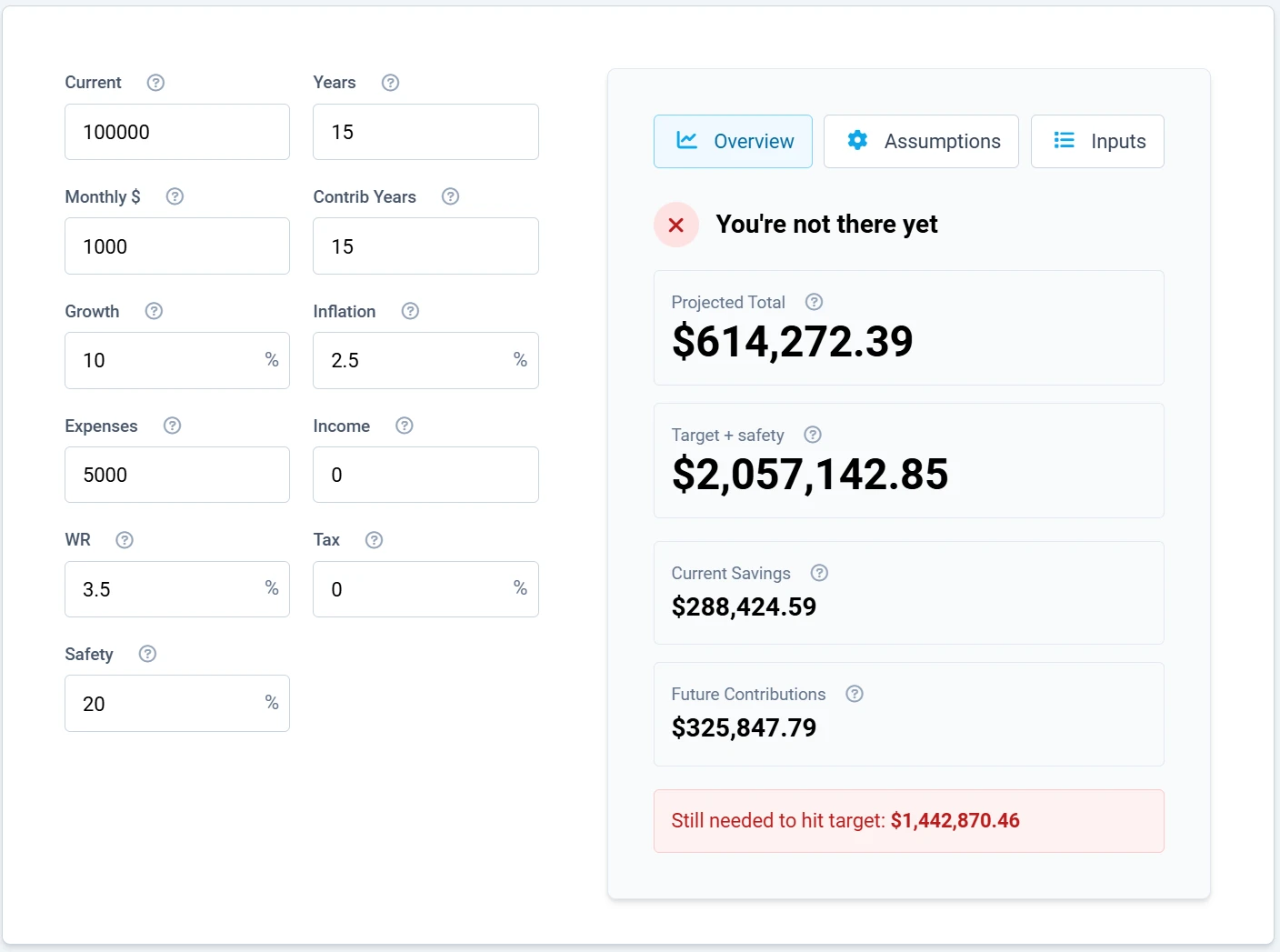
Enter:
- Current for savings already earmarked for retirement
- Years until retirement
- Monthly $ for planned monthly contributions
- Contrib Years for how long contributions will continue
- Growth for the expected nominal annual growth rate
- Inflation for the expected annual inflation rate
- Expenses for expected monthly retirement spending in today's dollars
- Income for reliable monthly income such as Social Security or a pension
- WR for the planned annual withdrawal rate
- Tax for the estimated effective tax rate on withdrawals
- Safety for an additional planning buffer
The Overview result says whether the entered scenario is on track and compares Projected Total with Target + safety. Use Assumptions to understand the calculation choices and Inputs to review what you entered. On a smaller screen, switch from Form to Results after changing values.
Run a conservative scenario as well as an optimistic one. A lower growth rate, higher inflation, and higher expenses can reveal which assumptions have the greatest effect.
Dollar Worth Calculator
Open the Dollar Worth Calculator to compare purchasing power or project a dollar amount forward.
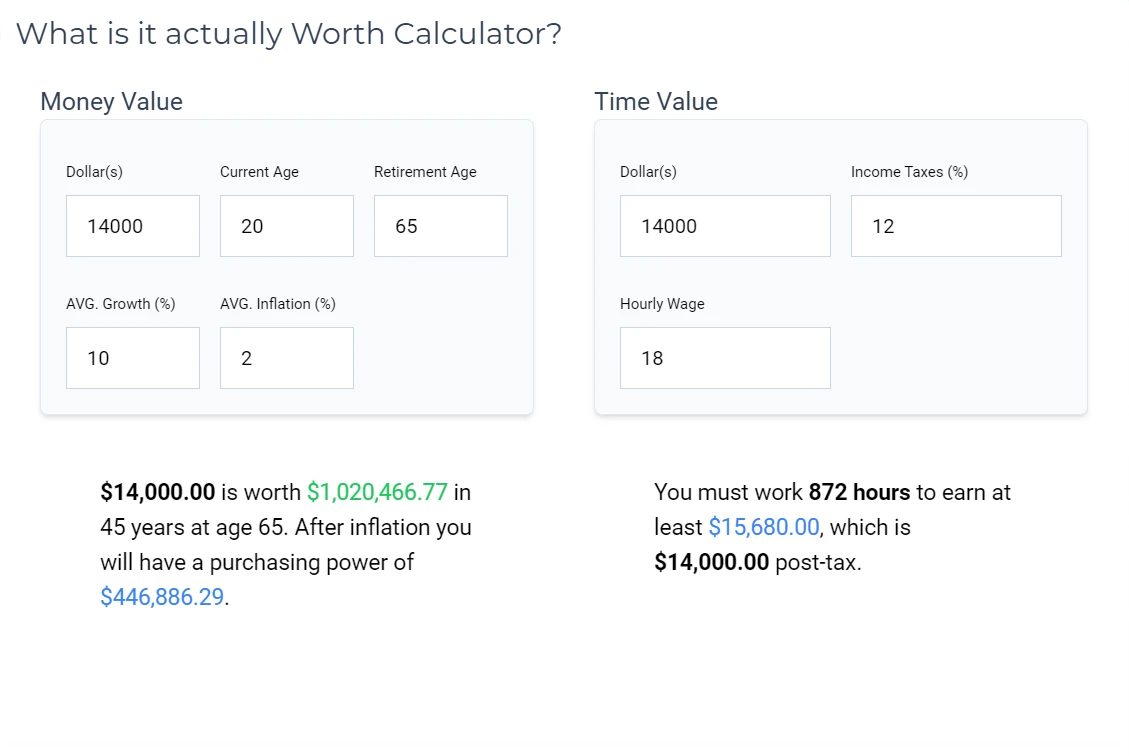
Choose one of two modes:
Future
- Enter the Starting Amount ($).
- Enter the number of Years.
- Enter expected Growth (%) and Inflation (%).
- Review Nominal Value, Real Value (today's $), and Real Growth Rate.
Nominal value is the future dollar amount before adjusting for rising prices. Real value estimates what that amount could buy in today's dollars.
Historical
- Enter an Amount ($).
- Choose the From Year and To Year supported by the form.
- Review the equivalent amount and purchasing-power change.
Use Overview for the summary, Chart for the trend, and Year by Year for the detailed table. Historical results use U.S. CPI data and describe broad purchasing power; the price of a particular home, service, or investment may have changed differently.
Use calculator results in your plan
Calculators are best for exploring questions, not recording actual balances. To save your real assets, debts, income, and expenses over time, use Net Worth and Monthly Cash Flow. To move from an estimate to a task-oriented checklist, browse Financial Action Plans. If you are new to the site, see Getting Started.