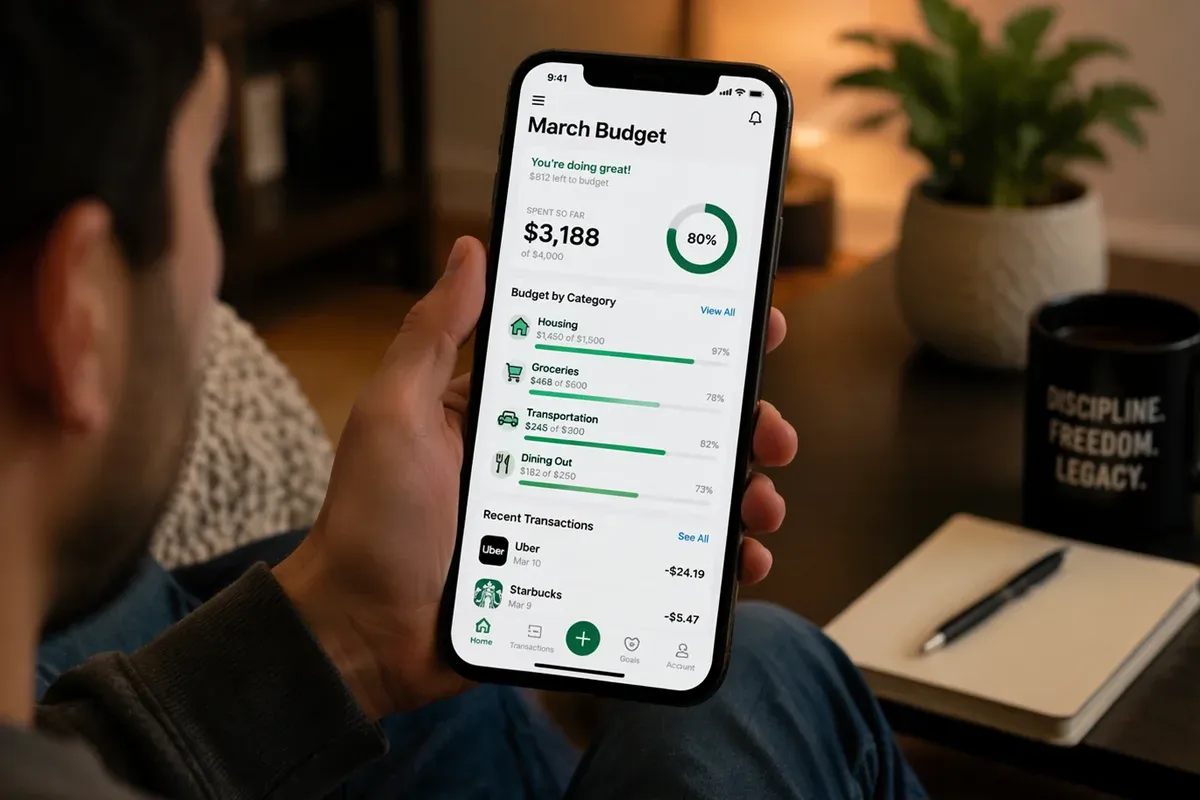
Most people know they should track their spending but between busy schedules and the tedium of manual entry, it never sticks. Automated budget tracking solves that problem entirely. By letting technology do the heavy lifting, you get consistent, accurate insights into your finances without the burnout of doing it yourself. Here's exactly how to set it up and why it works.
Why Manual Budgeting Fails (and Automation Wins)
The average person makes over 35,000 decisions a day. Manually logging every coffee, grocery run, and online purchase adds dozens more. It's no wonder manual money management habits lead to burnout and eventually, you just stop. Automated budget tracking removes the decision entirely. Your transactions are imported, categorized, and analyzed the moment they happen. You stay informed without lifting a finger.
The result: you spend less mental energy on budgeting and more time acting on what the numbers are telling you.
The Best Automated Budget Tracking Tools in 2025
Before you can automate, you need to pick the right platform. The best tool is the one you'll actually use so here's an honest breakdown of the top options:

YNAB (You Need A Budget) Try YNAB →
YNAB is built around the zero-based budgeting method every dollar you earn is assigned a job before you spend it. It automatically imports transactions, but requires you to intentionally approve and categorize them, which builds strong financial habits. Best for people serious about getting out of debt or saving aggressively.
✓ Pros
- Powerful zero-based budgeting system every dollar is assigned before you spend it
- Outstanding educational resources and an active community
- Goal tracking with real-time progress bars
- Mobile app syncs transactions in real time
✗ Cons
- $14.99/month pricier than free alternatives
- Steeper learning curve for beginners unfamiliar with zero-based budgeting
- Requires active engagement not a fully hands-off solution

Rocket Money (formerly Truebill) Try Rocket Money →
Rocket Money is the best option for most people starting out. It automatically links all your accounts, categorizes every transaction, and uniquely identifies and tracks all your subscriptions, flagging ones you may have forgotten. You can also use it alongside AI tools: learn how to supercharge your spending analysis on Rocket Money using ChatGPT.
✓ Pros
- Free tier available solid features at no cost
- Subscription tracker automatically surfaces forgotten recurring charges
- Bill negotiation Rocket Money can negotiate lower bills on your behalf
- Spending alerts real-time notifications for unusual charges or bill increases
✗ Cons
- Bill negotiation takes a cut they keep 30–60% of the first year's savings
- Premium features require paid plan ($4–$12/month)
- Less robust budgeting tools than YNAB or Monarch for serious planners

Empower (formerly Personal Capital) Try Empower →
Empower shines for people who want to combine budget tracking with investment monitoring. It automatically pulls in all your accounts including 401(k)s and brokerage accounts and gives you a net worth snapshot alongside your spending. If you want to track your net worth while managing your budget, this is the tool.
✓ Pros
- Free to use no subscription required for core features
- Investment dashboard tracks 401(k)s, IRAs, and brokerage accounts in one place
- Net worth tracking automatic snapshot updated daily
- Retirement planner built-in projections based on your real accounts
✗ Cons
- Wealth management upsells advisors will reach out if you have significant assets
- Budgeting tools are basic better for tracking than active budget management
- Not ideal for debt payoff planning limited tools for non-investors

Monarch Money Try Monarch Money →
Monarch is a premium all-in-one platform built for couples and households managing finances together. It combines budget tracking, goal setting, net worth monitoring, and collaborative features both partners can view and edit the budget in real time. At $14.99/month, it's on par with YNAB but takes a less rigid approach, making it the better fit for anyone who wants full visibility without the zero-based system.
✓ Pros
- Built for couples shared budgets with individual visibility and collaborative editing
- Clean, intuitive interface easier to learn than YNAB
- Flexible budgeting supports rollover budgets, custom categories, and multiple budget styles
- Goal tracking, net worth, and cash flow all in one place
✗ Cons
- $14.99/month no free tier beyond a trial
- No bill negotiation purely a tracking and planning tool
- Overkill for single users who only need basic expense tracking

Dollarwise Try Dollarwise →
Dollarwise takes a simpler, more visual approach to budget tracking ideal if you've been overwhelmed by feature-heavy apps. It focuses on spending awareness and daily check-ins, nudging you to stay conscious of your budget without requiring deep financial knowledge. A great starting point if you're brand new to tracking your money.
✓ Pros
- Beginner-friendly minimal setup, visual-first design
- Daily check-in prompts builds the habit of spending awareness
- Low friction designed for people who've quit other apps due to complexity
✗ Cons
- Limited advanced features no investment tracking or deep reporting
- Less automation than Rocket Money or Monarch for hands-off users
- Smaller user base fewer community resources and integrations
How to Set Up Automated Budget Tracking: Step by Step

Link All Your Financial Accounts
Start by connecting every account that touches your money: checking, savings, credit cards, loans, and investment accounts. Most platforms use Plaid for secure bank connections it takes under five minutes per account and never stores your banking credentials. The more accounts you link, the more complete your financial picture.
Pro tip: Don't skip credit cards. Most overspending hides on cards, not in your bank account. Linking them surfaces the full truth about where your money goes.
Configure Automatic Categorization Rules
Once your accounts are connected, your tool will begin automatically sorting transactions into categories like Housing, Groceries, Entertainment, and Subscriptions. Spend 15–20 minutes in the first week correcting miscategorized transactions and creating custom rules for example, flagging anything from "Starbucks" as Dining Out instead of Groceries. The system learns from corrections and gets more accurate over time.
If you're using a 50/30/20 budget framework or zero-based budgeting, map your categories to match your system so the automation reinforces your existing structure.
Set Spending Alerts and Budget Limits
Don't wait until you've overspent to find out set proactive alerts. Most platforms allow you to configure:
- Category limits: Get notified when you've spent 80% of your dining budget for the month.
- Large transaction alerts: Any purchase over a set threshold (e.g., $100) triggers a notification.
- Unusual spending alerts: Flags when a category spikes compared to your average.
- Bill increase alerts: Rocket Money specifically catches when a recurring charge goes up.
Schedule a Monthly Review (10 Minutes)
Automation handles the data collection you handle the decisions. Once a month, set aside 10 minutes to review your spending summary. Look for:
- Categories where you consistently exceed your budget
- Forgotten subscriptions still charging you
- Progress toward savings goals
- Any recurring charges that should be negotiated or canceled
This monthly review is where the real financial wins happen. The automation makes the data easy; your job is to act on it. For a deeper dive into tracking expenses for better financial health, the habit compounds quickly.
The Compounding Benefits of Automated Budget Tracking

Most people underestimate how powerful consistent tracking is over time. Here's what changes when your budget runs on autopilot:
- You spot lifestyle inflation early. When your grocery bill quietly climbs from $400 to $600 over six months, automation catches it you won't.
- You negotiate from a position of data. Knowing exactly what you spend on subscriptions gives you leverage to cut and renegotiate.
- You save more without trying harder. When you turn monthly expenses into consistent savings, the surplus compounds.
- Your financial stress drops. Uncertainty is what causes money anxiety. When you always know your numbers, the anxiety disappears.
Common Automated Budgeting Mistakes to Avoid

Even with great tools, a few missteps can undermine your system:
- Linking too few accounts. If your debit card isn't linked, you're missing half your spending data.
- Ignoring miscategorizations. An uncorrected rule means bad data your "Groceries" budget looks fine, but it includes pharmacy runs.
- Never adjusting budget limits. Your life changes your budget should too. Review limits quarterly at minimum.
- Relying on automation to fix overspending. Tracking tells you where the money went; you decide to change the behavior.
Take It Further: Pair Tracking with Automated Savings

Tracking is only half the equation. Once you can see where your money goes, the next step is making sure more of it is working for you automatically. Automating your savings setting recurring transfers to high-yield savings accounts the moment your paycheck arrives is the natural complement to automated tracking. Together, they create a complete hands-off financial system.
For the full picture of how automation fits into a long-term wealth strategy, read our deep dive into Law 6: Automate Your Finances the principle that underpins everything here.
Automated Budget Tracking: Quick-Start Checklist
- Choose a platform
- ∼ Rocket Money free, best for beginners and subscription tracking
- ∼ YNAB zero-based budgeting, $14.99/mo, best for aggressive savers
- ∼ Empower free, best for investors who also want budget tracking
- ∼ Monarch Money couples & households, $14.99/mo, flexible budgeting
- ∼ Dollarwise visual & beginner-friendly, great for first-timers
- Link all checking, savings, credit card, and investment accounts
- Spend 15 minutes correcting initial transaction categorizations
- Set category budget limits that match your monthly income
- Enable alerts for large transactions and overspending
- Block 10 minutes on your calendar each month for a review
- Pair with automated savings transfers for a complete hands-off system
Keep Building Your Financial System
Automated budget tracking is one piece of a larger financial foundation. Here's what to explore next:
- A Beginner's Guide to Zero-Based Budgeting assign every dollar a job
- The 50/30/20 Budget Framework the simplest structure for most people
- The Stress-Free Automatic Debit Payments Guide automate your bills
- Stop Failing to Follow a Budget why simplicity always wins
- How to Calculate Your Monthly Expenses know your real baseline