Organizing important documents is not about having a prettier filing cabinet. It is about making sure the right person can find the right record at the exact moment your family is stressed, grieving, traveling, or dealing with an institution that will not wait while everyone searches old email threads.
The goal is simple: if your executor, trustee, spouse, or power-of-attorney agent had to step in tomorrow, they should be able to identify your accounts, find your legal documents, contact your advisors, pay urgent bills, and protect your assets without guessing. This guide shows you how to build that system.

What Your Document System Needs to Accomplish
A useful estate document system has three jobs. First, it proves authority: who can act, what they can sign, and which legal documents control the plan. Second, it maps assets and obligations so nothing valuable gets missed. Third, it explains access: where records live, who to call, and what steps must happen first.
Most families do not struggle because there are no documents. They struggle because documents are scattered across filing cabinets, cloud folders, old laptops, bank portals, email attachments, advisor offices, and safe deposit boxes. Organization turns those fragments into a usable handoff.
The Core Documents Every Heir Should Be Able to Locate
Start with the documents that give legal authority and reveal the full shape of your financial life. You do not need to give every person direct access to every file, but your chosen decision-makers need to know what exists and where to find it.
Estate and legal documents
- Last will and testament: Include the location of the signed original, not just a scanned copy. In many cases, probate courts want the original document.
- Trust documents: Include the trust agreement, amendments, trustee contact information, and a list of assets that should be titled in the trust.
- Power of attorney: Your financial agent may need this before death if you become unable to manage accounts. Pair this with a clear power-of-attorney plan.
- Advance directive and healthcare proxy: Store medical decision documents where they can be reached quickly, not only with long-term estate files.
- Funeral or burial instructions: Keep preferences, prepaid arrangements, cemetery records, and provider contacts together.

Financial account records
- Bank accounts: Checking, savings, money market accounts, CDs, credit unions, and any payable-on-death instructions.
- Investment accounts: Taxable brokerages, robo-advisors, custodial accounts, and transfer-on-death designations.
- Retirement accounts: 401(k), 403(b), IRA, Roth IRA, pension, deferred compensation, HSA, and beneficiary details.
- Debts: Mortgages, HELOCs, auto loans, student loans, credit cards, personal loans, private notes, and any recurring payment arrangements.
- Tax records: Prior returns, estimated tax payments, property tax records, business filings, and the name of your tax preparer.
Insurance and protection records
- Life insurance: Policy numbers, beneficiaries, carrier contacts, premium payment source, and whether policies are term or permanent.
- Health, disability, and long-term care insurance: Include claim instructions and employer benefit contacts where relevant.
- Home, auto, umbrella, renters, and business policies: These may matter immediately after an accident, property issue, or liability claim.
- Warranty and service contracts: Home systems, vehicles, appliances, and software subscriptions can create avoidable expenses if no one knows they exist.
Property and personal records
- Real estate: Deeds, mortgage records, leases, property tax bills, HOA information, utility providers, and property manager contacts.
- Vehicles and titled assets: Cars, boats, trailers, RVs, aircraft, and any loans or insurance tied to them.
- Valuables: Appraisals, purchase records, serial numbers, photos, storage locations, and insurance riders for jewelry, art, collectibles, metals, or equipment.
- Business interests: Operating agreements, buy-sell agreements, payroll systems, registered agent information, vendor contracts, and key client obligations.
Digital assets and online access
- Email accounts: Your email often controls password resets for nearly everything else.
- Password manager: Document the emergency access process, not the master password in plain text.
- Cloud storage: Note where scanned documents, photos, tax files, and business records are stored.
- Crypto and digital wallets: Record the existence of wallets and exchanges, then store recovery instructions with extreme care.
- Online businesses and creator accounts: Domains, websites, payment processors, storefronts, affiliate accounts, ad accounts, and course platforms may have real value.
For a deeper version of that last category, use this system alongside a digital asset estate plan. Digital records are often where heirs lose the most time because the asset can exist without any paper trail at home.
Build a Master Inventory First
Before you move files into folders, create a master inventory. This is the control document that tells your heirs what exists. It should not contain every password or private detail. It should contain enough information for an authorized person to know where to go next.
List every institution and contact
Create one table with columns for institution name, account type, last four digits if applicable, website, phone number, advisor or agent contact, owner, beneficiary status, and where the supporting documents are stored. This table becomes the map your executor uses before calling banks, insurers, brokerages, employers, and advisors.
Separate originals from copies
Some documents are informational copies. Others are originals that may matter legally. Mark which is which. The signed original will, original trust amendments, vehicle titles, deeds, birth certificates, marriage certificates, divorce decrees, military discharge papers, and citizenship records should be clearly labeled.
Record decision-maker roles
List the people named in your plan: executor, backup executor, trustee, successor trustee, power-of-attorney agent, healthcare proxy, guardian nominations, financial advisor, attorney, CPA, insurance agent, and funeral provider. Include phone numbers and email addresses. If someone has a role, they should know they have been named before an emergency happens.
Flag urgent bills and deadlines
Heirs often discover important deadlines too late. Identify the mortgage due date, rent due date, insurance premium dates, property tax dates, business payroll dates, loan autopay source, and any subscriptions that keep essential services running. This helps your family prevent late fees, policy lapses, and service interruptions while legal authority is being sorted out.
Add a plain-language instruction letter
A letter of instruction is not a substitute for legal documents, but it is extremely useful. Use it to explain where things are, what matters first, who should be contacted, which accounts are high priority, and whether there are family dynamics your executor should anticipate. Keep the tone practical and specific.
Where to Store Physical Documents

Physical originals still matter. Even if your financial life is mostly digital, courts, title offices, insurers, and government agencies may need certified copies or originals. The key is to protect documents from fire, water, theft, and accidental disposal while still making them reachable.
Home safe
A fire-resistant, water-resistant safe is useful for documents that may need fast access: original estate documents, passports, birth certificates, marriage certificates, Social Security cards, property records, vehicle titles, and emergency cash. Bolt it down if possible and make sure your chosen decision-maker knows how access works.
Attorney or advisor copies
Your estate-planning attorney may keep signed copies or know where originals are stored. Your financial advisor or CPA may also have useful records, but do not assume they hold everything. Include their contact information in your master inventory and ask what they retain.
Safe deposit box
A safe deposit box can protect documents, but it can also create access problems if no one else is authorized. In some situations, a bank may restrict access after death until an executor has formal authority. That can be a serious issue if the original will or burial instructions are locked inside. If you use a box, document the bank, box number, key location, and authorized users, then confirm the rules in your state.
How to Store Digital Copies Safely

Digital copies make the system faster. They let your executor search, share with advisors, and identify missing records without digging through paper. But convenience should not come at the cost of security.
Use a dedicated folder structure
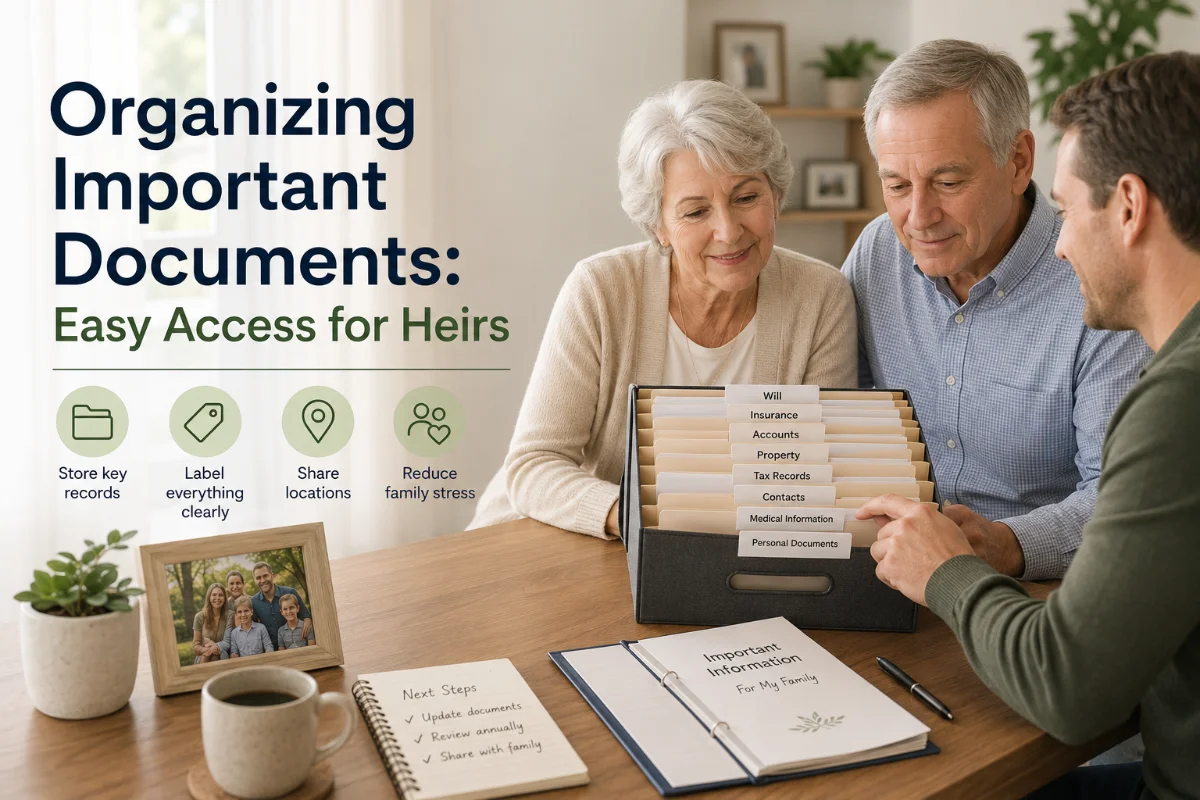
Create top-level folders such as Estate Plan, Banking, Investments, Insurance, Property, Taxes, Business, Medical, Digital Assets, and Personal Records. Use consistent file names like 2026-Life-Insurance-Policy-CarrierName.pdf or Trust-Amendment-2025-04-12.pdf. Searchable names matter when someone is under pressure.
Scan important records as PDFs
Scan legal documents, policy declarations, statements, deeds, titles, benefit summaries, and advisor agreements. Do not rely only on photos buried in your phone. PDFs are easier to search, archive, and share with professionals.
Encrypt sensitive folders
Use encrypted cloud storage, an encrypted external drive, or a password manager with secure file attachments. Turn on two-factor authentication for the cloud account. If you share emergency access, use the platform's delegated access feature rather than sending passwords in a text message.
Back up the archive
Keep at least two copies in different places: one secure cloud location and one encrypted local backup. A document system that disappears with a failed laptop is not a system.
Who Should Have Access?
Access should be intentional. The mistake is treating every trusted person the same. Some people need direct access. Others only need to know where documents are. A few should not receive sensitive information until they have legal authority.
- Executor: Should know where the estate documents, asset inventory, advisor list, and original will are stored.
- Successor trustee: Should understand where trust records are, which assets are tied to the trust, and how to contact the attorney.
- Power-of-attorney agent: Needs access before death if incapacity occurs, especially for bills, insurance, taxes, and financial institutions.
- Healthcare proxy: Needs immediate access to healthcare directives, doctor contacts, medication lists, insurance cards, and care preferences.
- Spouse or partner: Should understand household accounts, bill payment systems, insurance coverage, and emergency cash flow.
- Attorney, CPA, and financial advisor: Should be listed clearly so your family knows who already understands your plan.
If your family situation is complicated, especially with blended families, estranged relatives, special-needs planning, or business ownership, be more precise. Good document organization should reduce conflict, not hand sensitive information to the wrong person too early.
Create a 48-Hour Emergency Packet
Your full archive can be detailed, but your emergency packet should be short. Its job is to help someone act immediately while the larger estate process unfolds. Pair it with our end-of-life checklist for the broader set of moves your family should have ready.
- Emergency contacts: Family members, executor, attorney, CPA, financial advisor, insurance agent, doctor, employer, and funeral provider.
- Legal authority map: Where to find the will, trust, power of attorney, advance directive, and healthcare proxy.
- Household continuity list: Mortgage or rent, utilities, insurance premiums, car payments, childcare, eldercare, payroll, and recurring bills.
- Medical essentials: Insurance cards, medications, allergies, doctors, pharmacy, and care preferences.
- Access instructions: Where the safe is, where keys are, where digital vault instructions are stored, and who is authorized to open them.

Common Mistakes That Make Documents Useless
- Keeping only digital copies of documents that require originals: Scans are convenient, but they may not replace the signed original.
- Using a safe deposit box no one can open: Protection is not helpful if the document needed to prove authority is trapped inside.
- Letting beneficiary forms drift out of date: Beneficiary designations can override your will, so review them with your beneficiary plan.
- Hiding the system too well: Security matters, but your executor needs a clear path to discovery.
- Failing to document debts: Heirs need to know what must be paid, disputed, canceled, or monitored.
- Leaving business records out: A side business, LLC, rental property, or creator income stream can collapse quickly without instructions.
- Putting passwords in plain text: Use secure emergency access instead of a visible password list.
How Often to Update Your Document System
Review the system at least once a year, but do not wait for the annual review if a major change happens. The best review is short and repeatable: confirm the inventory, refresh statements, check beneficiaries, verify access instructions, update advisor contacts, and remove stale documents.
Review after family changes
Marriage, divorce, birth, adoption, death, estrangement, reconciliation, or a beneficiary becoming an adult can all change who should receive assets or who should have authority.
Review after financial changes
Update the system after buying or selling a home, opening investment accounts, rolling over retirement funds, starting a business, taking on major debt, receiving an inheritance, or changing insurance coverage.
Review after legal or location changes
Moving states, changing citizenship or residency, updating a trust, signing a new power of attorney, or changing attorneys should trigger a document review. Estate rules are local enough that old paperwork can become less useful after a move.
What to Tell Your Heirs Now
You do not have to disclose every dollar amount or private detail to start the conversation. You can simply tell your decision-makers that the plan exists, where the emergency packet is, who the attorney is, and what role each person has agreed to play.
That conversation prevents two painful problems: people discovering responsibilities they never accepted, and family members fighting because no one knows who is supposed to lead. Clear roles matter as much as clear paperwork.
Organizing important documents is one of the most practical gifts you can leave your family. It turns your estate plan from a stack of paperwork into a working system: findable, secure, current, and usable when people need it most.